Your case — one tap away

Add the LegalSol portal to your home screen. It works like an app and pings you the moment your case moves.

🔔 Notifications⚡ One tap🆓 Free
LegalSol
⚠️ First — leave WhatsAppYou opened this inside another app. Tap the menu (⋯ or ⋮) in the corner and choose Open in browser, then follow the steps.
1Open the portal in Safari

Type legalsol.pl/cabinet in Safari — not inside WhatsApp.

2Tap the Share button

It is at the bottom of Safari:

9:41Safari
legalsol.pl/cabinet
3Choose «Add to Home Screen»

Scroll the list a little — then tap Add in the corner.

9:41Share
Copy
Add to Home Screen👆
Add Bookmark
4Open from the new icon

Close Safari. From now on always enter through the LegalSol icon on your home screen — like a normal app.

1Open the portal in Chrome

Type legalsol.pl/cabinet in Chrome — not inside WhatsApp.

2Tap the ⋮ menu

Three dots in the top-right corner:

9:41Chrome
legalsol.pl/cabinet
3Choose «Add to Home screen»

On some phones it says Install app — that is even better. Confirm.

9:41Menu
Download
Add to Home screen👆
History
4Open from the new icon

From now on always enter through the LegalSol icon — like a normal app.

5How to log in

Your login is your phone number and the password your manager sent you on WhatsApp.
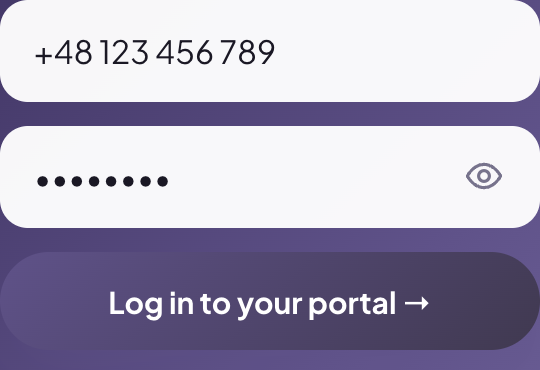
LegalSol portal login screen
This is how the login screen looks

Type your number exactly as in your contract, with country code. Lost the password? Write to us on WhatsApp — we resend it in a minute.
🔔 Last step — turn on notifications
LegalSolYour case moved to the next step ✅now
1Open  Tasks  at the bottom of the portal
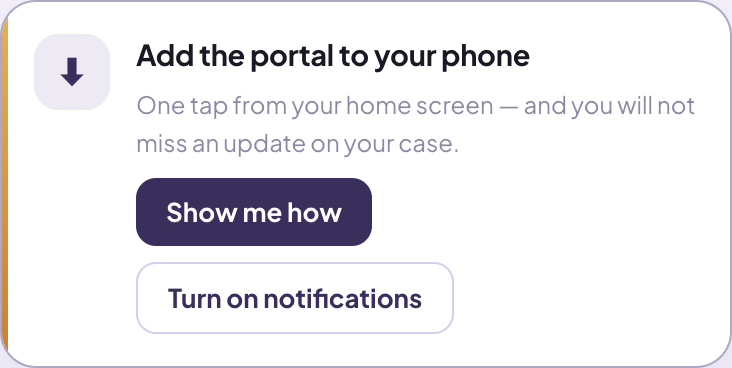
2Tap  Turn on notifications on this card:
Turn on notifications card in the portal
3Phone asks? Tap  Allow
Open the portal → Stuck? We'll help on WhatsApp
LegalSol · legalization services in Poland · legalsol.pl